4 ways to keep corporate credentials off the dark web
- 1. Use good password hygiene>>Use good password hygiene
- 2. Use MFA>>Use multifactor authentication
- 3. Train employees>>Train employees to spot phishing scams
- 4. Remove personal info>>Remove your personal information from the web
This post has been modified to reflect new information since its original publication.
The key driver of a vicious cycle of crime, corporate credentials are the top tool hackers use to break into business networks in the hopes of extracting lucrative financial rewards.
Last year, 61% of all data breaches involved credentials, and the number of corporate usernames and plaintext passwords for sale on the dark web rose by an incredible 425%.
It’s likely that some of your team’s credentials are already for sale online, increasing your risk for extortion, malware, and theft of intellectual property or funds. Luckily, you can reduce this risk by following these safety tips.
1. Use good password hygiene
A good first step in securing your employees’ credentials is to make their passwords harder to guess. This means following safe password protocols like:
- Not reusing passwords—Create a new, unique password for every site. This way, if a cybercriminal manages to guess an individual’s password for a specific account, he or she won’t have access to all that individual’s other business accounts. A good way for employees to keep track of all their passwords is by using a password manager, like Dashlane or 1Password.
- Using strong passwords—There are two ways to create a strong password: The first is by using a random string of characters (with a mix of uppercase and lowercase letters, numbers, and special symbols, like punctuation). The second is by using a random string of words. Regardless of which type your employees use, make sure all passwords are at least 12 characters long. It’s also important to ensure passwords don’t include any personal information, like the pets’ or children’s names, birthdays, addresses, or anniversaries, as hackers can easily find these items on the internet.
Has your personal information been exposed online?
- Changing passwords frequently—To further reduce the odds of a cybercriminal stealing an employee’s credentials, you should require everyone to change their passwords every 60 to 90 days.
2. Use multifactor authentication
Multifactor authentication (MFA) makes it harder for criminals to steal more of your corporate accounts (even if they already know an employee’s credentials) because it requires users to enter two or more distinct identifiers. This process not only prevents most hackers from being able to log in, but it also alerts the individual whose credentials are compromised when he or she receives a prompt to submit a secondary identifier.
Although we often think of MFA as that text message verification code you receive when you try to log in to specific sites, it can actually take a range of forms, adding flexibility to match your use case:
- Something you know—For example, a username and password. You would use this type of identifier for low-risk accounts that don’t contain confidential information, like a company chat page where employees post funny memes.
- Something you have—Like a keycard, cellphone, or USB stick. These identifiers are appropriate for safeguarding accounts that contain moderately sensitive data, such as internal reports, budgets, and business plans.
- Something you are—Like your fingerprint or another biometric identifier. You should use these identifiers to secure high-risk data, including financial account numbers, employee records, and customer payment information that bad actors could use to significantly damage a business’s reputation, safety, or finances.
3. Train employees to spot phishing scams
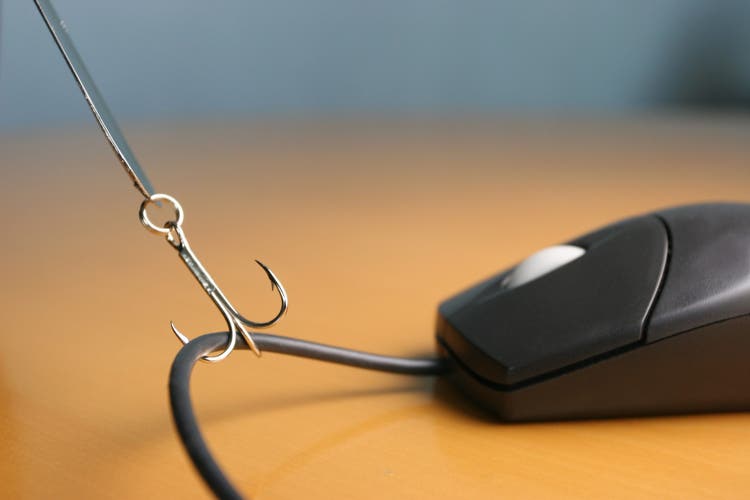
Phishing is a type of social engineering attack that leverages human psychology to manipulate people into performing a risky action (like transferring money or revealing sensitive data). According to research by Verizon, it is also the top tactic used to carry out a data breach.
As such, you can greatly reduce the odds of usernames and passwords ending up on the dark web by teaching your employees how to recognize and avoid falling prey to this type of attack.
Some red flags your employees should watch for in emails, texts, or phone calls include:
- A sense of urgency—Any message that says the recipient must “act now” is suspect.
- Threatening language—Threats of dire consequences if the recipient doesn’t take some kind of action are one of the hallmarks of a scam.
Ready to protect your identity & secure your private information?
- An unknown sender—Teach your team to always be wary of messages from someone they don’t know.
- Spelling or grammatical mistakes—These are easy to spot, but not all phishing attempts are poorly composed.
- A request for personal information or money—There’s always an “ask” in a scam message.
- Suspicious attachments or downloads—Most phishing messages contain something to download or click on. It’s important to tell employees to never click on any attachments or links in an email without first verifying that the sender is legitimate.
You should also teach your employees to verify the sender of an email by clicking the sender’s name to see the sender’s full email address.
4. Remove your personal information from the web
All the previous tips involve a lot of work on your part, and it’s all on you if something goes wrong. There is unfortunately a good chance that someone in your organization will eventually fall for a phishing email, no matter how careful everyone is. Nor are technological defenses foolproof: there have been instances of hackers finding ways to bypass MFA security measures, for instance.
This is why it’s important to take the additional step of removing your team’s personal information from the internet. Access to personal information makes it much easier for a bad actor to mount a successful attack.
Has your personal information been exposed online?
Personal details like an employee’s home address, hobbies and interests, or mother’s maiden name can provide clues hackers can use to figure out passwords and password reset questions. Social engineers can also leverage this data to construct more customized phishing schemes. In short, the more personal information that’s available online, the easier it is to steal credentials.
To truly protect your passwords, you need to strategically remove your employees’ personal information from the internet. This process involves:
- Identifying your team’s vulnerabilities
- Prioritizing the data to delete
- Following the removal procedures for every site that is publishing personal information
- Tracking your efforts
- Monitoring the web to ensure the information remains hidden
As you can see, removing personal information from the web can be a time- and labor-intensive task, depending on how much information exists online about each employee and how many employees you have.
Luckily, there are ways to automate this process without compromising on effectiveness. Our ExecutivePrivacy service offers a holistic solution, gathering the data, putting it all together to analyze the risks, removing personal information from the web, and monitoring the landscape for new threats.
If you have any questions about removing your personal information from the web, please give us a call. We are happy to offer free advice regarding your unique privacy situation.
For further information, see these articles:
- It’s not personal: How people-search sites create threats for businesses
- How personal IT affects corporate information security
- Your roadmap to combating the latest online privacy threats facing executives
- The top 3 cyberthreats for executives all involve personal information
Need assistance? Talk to an expert.
All ReputationDefender consultations are free, confidential, and without obligation.
Call 877-492-5209 or Schedule a Consultation