Why geotracking is a growing threat to online privacy

- How people track you>>How people track you
- Who is tracking you?>>Who is tracking you and why
- What info can they get?>>What kind of information does geotracking reveal?
- Burglars and stalkers>>How burglars and stalkers can use geotracking to target you
- Police>>How the police can access your location data
- Disabling geotracking>>How to disable geotracking in your apps, photos, and operating systems
This post has been modified to reflect new information since its original publication.
While using location-based services in apps like Google Maps, Foursquare, and Uber can make our lives more convenient, there are real risks in doing so. To protect yourself, you need to learn what kind of location-based data you are sharing online and how this data poses a threat to your online privacy—as well as your physical self.
How people track you
People can track your location through your devices. If you use a computer, your IP address can narrow down your location. When you are on a mobile device, such as a cell phone or tablet, individuals can track your location via GPS or through a combination of cellular tower data, Wi-Fi signals, and Bluetooth beacons.
Many of the apps you use (and the companies behind them) also track you. In fact, more than 1,000 apps, including Yelp, Foursquare, Google Maps, Uber, MapMyRun, Tinder, and Facebook, use location tracking services. And some of these companies continue to track you even if you have location data turned off in the app’s settings. For example, Facebook still uses IP address and other data such as your profile city and your check-ins to target ads to you.
Has your personal information been exposed online?
Individuals can also track your location through the metadata attached to the photos you share online. This data includes GPS coordinates, which most cell phones and digital cameras automatically embed, or geotag, in every photo you take. This information identifies where you were when you took the picture and travels with your photos when you post them on the Internet. People also manually add geotags to their photos on apps like Instagram to make them more searchable.
Who is tracking you and why
When you enable location tracking services on your phone or in an app, you allow dozens of data-gathering companies to collect detailed geolocation data about you, which they then sell to advertisers. Although the information is anonymized, it can reveal your real-time movements with disturbing accuracy—successfully tracking your position to within a few yards.
A recent New York Times article described how the reporters were able to track a woman and learn an astonishing amount of personal details about her just by examining the location data gathered by her smartphone.
“An app on the device gathered her location information, which was then sold without her knowledge. It recorded her whereabouts as often as every two seconds, according to a database of more than a million phones in the New York area that was reviewed by The New York Times. While Ms. Magrin’s identity was not disclosed in those records, The Times was able to easily connect her to that dot.
The app tracked her as she went to a Weight Watchers meeting and to her dermatologist’s office for a minor procedure. It followed her hiking with her dog and staying at her ex-boyfriend’s home, information she found disturbing.”
What kind of information does geotracking reveal?
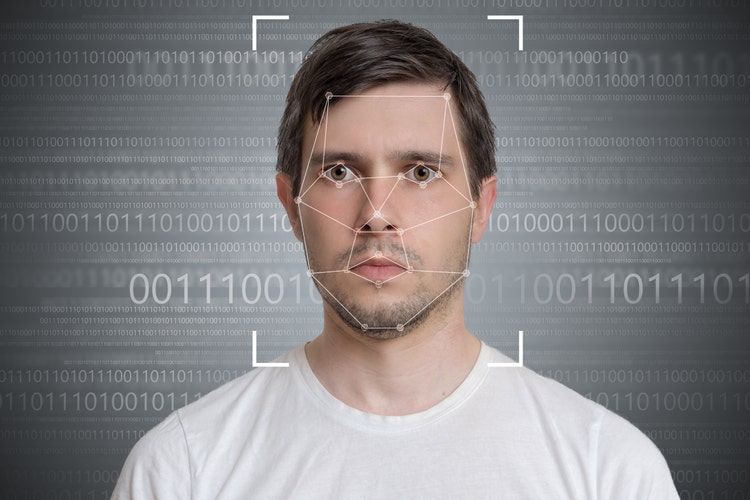
By looking at your location data, anyone can discover the following:
- Where you sleep, and thus where you live
- Your income level, based on where you live
- Where you work, and what kind of work you do
- What stores you frequent
- The route you take to work
- If you regularly go to a gym
- When you take a vacation, and where you stay
Because this kind of data gives marketing companies such microscopic insights into consumer behavior, many businesses are willing to pay big money for it. In fact, sales of geotargeted mobile ads are expected to reach $38.7 billion by 2022.
How burglars and stalkers can use geotracking to target you
In addition to making you a target for ads, geotracking can put you at physical risk. One notable example of this happening is when Strata, a fitness-tracking app, posted a heat map of its users across the world, with individual users’ exercise routes highlighted. Unfortunately, the heat map revealed the activities of US soldiers exercising at secret bases in the Middle East—essentially blowing their cover.
Ready to protect your identity & secure your private information?
Even if you’re not a soldier, location tracking can make you more vulnerable to attacks. Nowadays, we all walk around with our devices in our pockets, in our purses, or in our backpacks. And even though we’re not touching them, they’re recording where we travel and when. By cross-referencing a map of your activity with information about you garnered from a simple Google search, people with bad intentions can access a wealth of data about every element of your daily life.
The availability of this kind of detailed information puts you at risk for stalking or harassment. For example, if you visit the same pastry shop every Sunday morning, then someone who is tracking your movements will be able to identify the best time and place to confront you. Importantly, it also tells thieves where you won’t be every Sunday morning, thus notifying them of the best time to rob you.
How the police can access your location data
Another privacy risk of geotracking is that the police can use your data against you. Although the US Supreme Court ruled in 2018 that the police need to get a warrant from a wireless carrier before obtaining a person’s historical location data from his or her cell phone, the ruling only addressed historical location data.
Has your personal information been exposed online?
As a result, the police can still access a criminal suspect’s real-time cellphone location data without a warrant. They can also gather your location data for the following reasons:
- If there is an emergency (like a bomb threat)
- If they are looking at data from a short period of time (about four months)
- If they are obtaining the data from all phones connected to a certain cell tower at a particular time
The issue of where geolocation tools and online privacy laws intersect is still being debated. As such, you need to learn your rights when it comes to your locational data and law enforcement.
How to disable geotracking in your apps, photos, and operating systems

To keep your whereabouts as private as possible, you need to disable geotracking on all your apps, photos, and devices. Here’s how to do so on the most used apps and operating systems:
Apps
- Firefox: In the address bar, type in “about: config” without the quotes. Click the “I accept the risk” button if required. Scroll down the list that appears until you see “geo.enabled.” If it says “false,” in the Value column, then Firefox is not tracking your location. If it says “true,” then you can double-click the word “true” to change it to “false.”
- Safari: Select “Safari” in the upper-left corner and then “Preferences…” Then, in the Privacy tab, under Website Tracking, ensure that “Ask websites not to track me” and “Prevent cross-site tracking” are checked.
- Chrome: Select the Menu button (⋮ or ≡), then “Settings” and “Advanced.” Under Privacy and Security, select “Site Settings,” then “Location.” Then select “Ask before accessing.” On the mobile app, you can choose “Never” and “While using the app.”
- Internet Explorer: Click “Internet Options.” This will open a window with multiple tabs. Select the “Privacy” tab. Make sure the box marked “Never allow websites to request your physical location” is checked, and while you’re at it, click “Clear Sites.”
- Google Maps: You may be surprised to learn that Google stores a detailed history of all the places you’ve ever been to. To disable this feature, go to myaccount.google.com and select “Data & personalization” and then “Location history” under Activity controls. From here, you can toggle the switch to turn location tracking on and off.
Ready to protect your identity & secure your private information?
Has your personal information been exposed online?
Operating systems
- Android: Select “Settings” and then “Security & location.” Look for the Privacy subhead and click “Location.” Click the “Use location” feature to toggle it off.
- iOS: Open “Settings,” and “Privacy,” and then click “Location Services” to disable all tracking. You can also turn off the location sharing one app at a time.
Photos
One of the most common geotagging formats for photos is called EXIF. Fortunately, this is generally easy to remove from photos. Search for “exif” in the app store for your phone and you should see several free options for deleting EXIF data prior to posting.
What else can you do to keep your location data safe?
Beyond disabling location tracking on all your devices and apps, you should follow these tips whenever you are online to reduce the chances of revealing your location:
- Keep your friend list small: When using any app that shares locational data, make sure that only people you really trust have access to your information. Frequently cull your friends list so that it includes only active users whom you know in real life. Casual users who rarely check in can threaten your electronic privacy because they make easy targets for hackers.
- Make sure that your profile uses the site’s maximum-security settings: This won’t stop a court order or a skillful hacker from accessing your locational data, but it will make the job harder. Nosy individuals shouldn’t simply be able to Google your exact whereabouts.
- Avoid sharing scheduling information like your commute: Posting your daily schedule in a public forum is one of the most dangerous things you can do. Even simple updates like “Going to work” posted on a regular basis provide a lot of information. Similarly, you probably shouldn’t “check in” or post a selfie with your smartphone at the café where you stop for a bagel on the way to the office every morning.
Has your personal information been exposed online?
- Never post about extended absences: Don’t share details of your trip until after you’ve returned, and avoid using location-based services away from your hometown. Status updates like “Gone to Hawaii for two weeks” tell thieves that they can take their time cleaning out your home. Similarly, if you normally check into businesses only where you live in Chicago, avoid doing the same while you’re in Miami for the week, as this tells thieves that your home is potentially unattended.
- Remove your personal data from the Internet: Your physical address is a key piece of information for would-be burglars. Locational services are much safer to use if you remove your personal information from people-finder services like Spokeo and PeopleSmart.
As location services grow more popular, the threat to your privacy increases. If you would like information about keeping your personal information safe or how our privacy products work, please give us a call. We are happy to provide a free consultation regarding the best ways to keep your information secure online.
Need assistance? Talk to an expert.
All ReputationDefender consultations are free, confidential, and without obligation.
Call 877-492-5209 or Schedule a Consultation